Module 2 · Team management
The team admin your school and club clients run
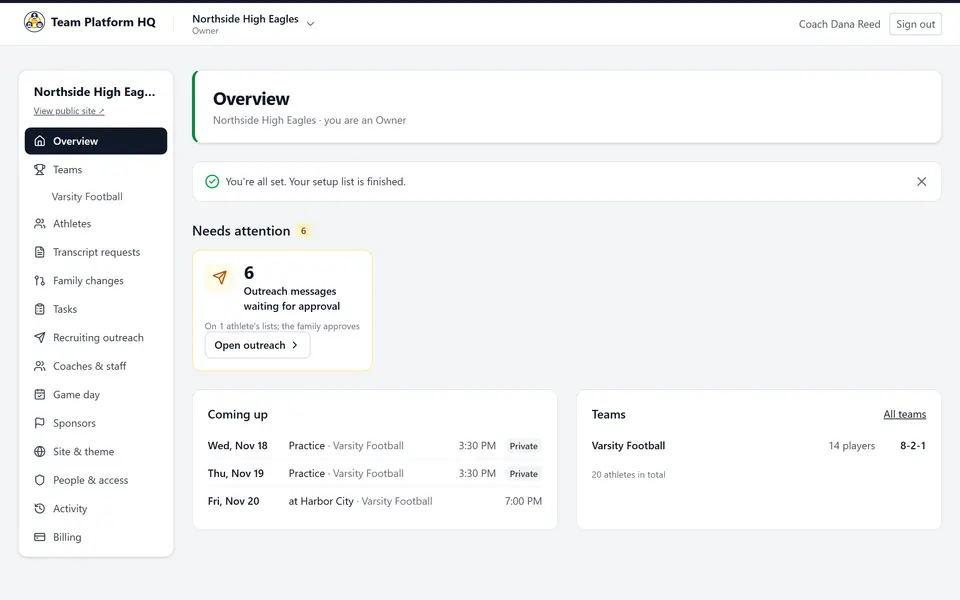
Team management in Team Platform HQ gives the high schools and clubs your agency serves one admin app for rosters, schedules, staff, athlete records and family logins, under your brand. Coaches run it from a phone or a laptop.
- Rosters, schedules and results in minutes
- Verified athlete records that feed profiles and outreach
- Family logins that see only their own athlete
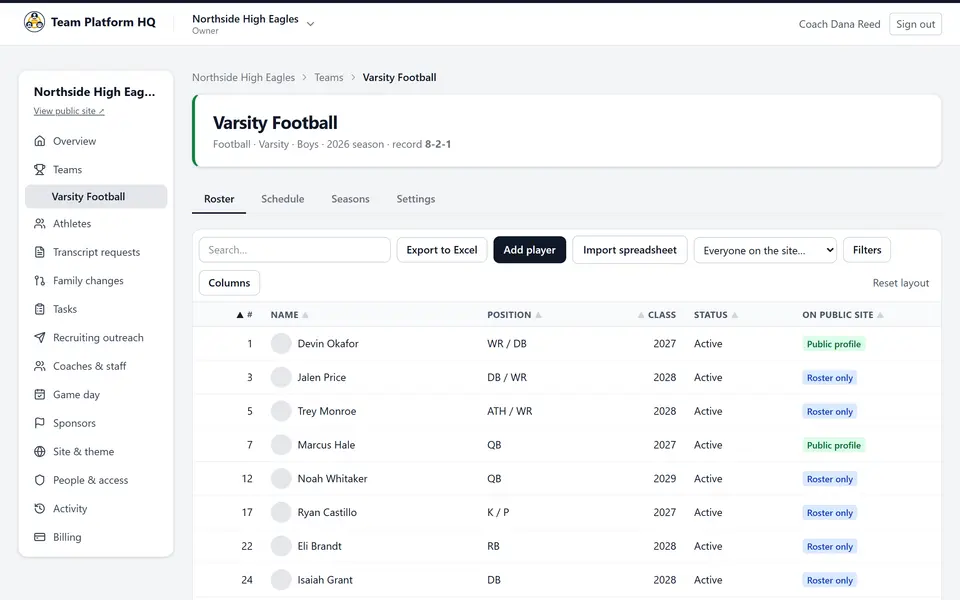
Rosters, schedules and staff
What a head coach or athletic director at your client school does in the admin app.
- Import a roster from Excel or CSV, or paste it. A preview shows every change before it is saved.
- Roll the roster to next season: seniors graduate, everyone else moves up a class.
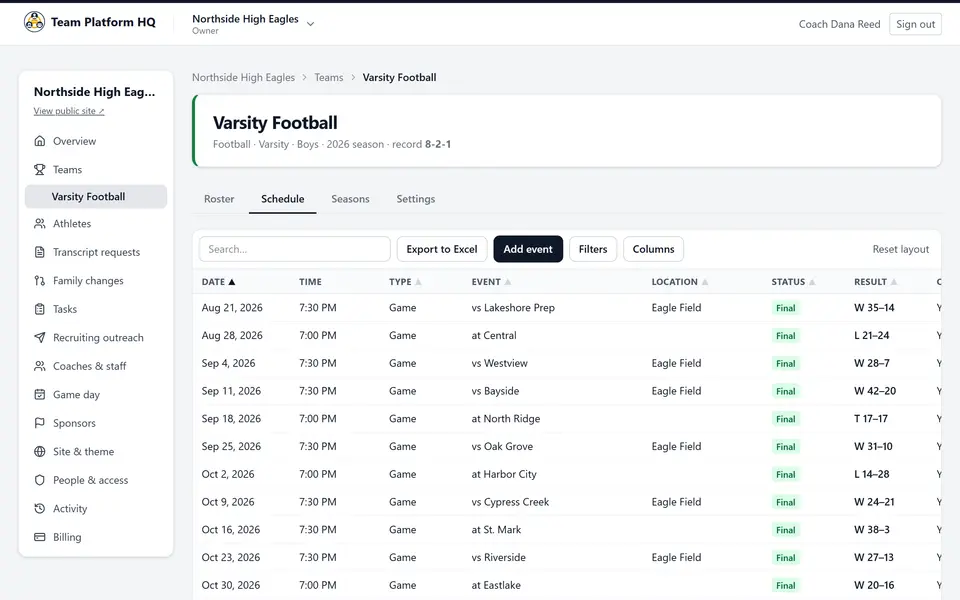
- Schedules with times in the team's time zone, scores and the season record. Practices stay private.
- A page per team (varsity, JV, freshman). Coaches manage only their own teams; the athletic director sees all of them.
- Coaching staff with titles, and a named contact for college coaches.
- Export any list to Excel. An activity log shows who changed what.
Athlete records coaches can trust
- Test results, academics and offers per athlete. A coach verifies each one; it shows as verified with the date.
- Facts a family enters are labeled self-reported until a coach checks them.
- Each athlete is Private, Roster only or Public on the team site.
- Verified facts flow into the athlete's recruiting profile and, with recruiting automation, into outreach drafts.
Families, tasks and transcripts
Family logins
Parents and athletes see and update only the athletes linked to them. Coaches can approve their changes first.Tasks with due dates
Physicals, questionnaires, forms: assign them to athletes and see what is still open.Transcript requests
College coaches request a transcript from a public profile. The school sends it only with the family's consent, by a link that expires.Sponsors
Sponsor logos and packages on the team site, and "presented by" sponsors for single games.Activity log
Who changed a roster, a result or a setting, and when.Private by default where it matters
Private athletes never appear on the site or in search. Athletes' phone numbers and personal emails are never shown.
How your clients get it
Step 1: You add the school or club
From your partner console, on a team, club or school plan. It carries your brand from day one.Step 2: Their coaches set it up
Colors, logo and roster in about 10 minutes, then the schedule and staff.Step 3: Families join
Coaches invite parents and athletes, who keep their own details current.
Football today. Other sports are coming based on partner demand. Want another sport? Tell us
Questions about team management
How does a school or club get a team website, and how long does setup take?
Schools and clubs get a team website through their recruiting agency, which adds them from its partner console. After that, most teams set up their site in about 10 minutes: choose the teams, colors and logo, then add the roster by pasting it or importing a spreadsheet (Excel or CSV). Schedules, staff and sponsors can be added later.
What does "verified" mean on a profile?
On Team Platform HQ, a verified result (like a 40-yard dash time or a GPA) was checked by a coach on the athlete's team. Facts a family enters are labeled self-reported. Drafts only use facts on the profile, and only verified ones are ever called verified.
Are athlete profiles public?
Only if the team makes them public. On Team Platform HQ each athlete is Private, Roster only, or Public, and coaches choose. Private athletes never appear on the site, in search results or in the sitemap. Phone numbers and personal email addresses of athletes are never shown.
How are transcripts handled?
A college coach can request a transcript from a public profile. Team Platform HQ never shows transcripts publicly. The school sends one only with the family's consent, through a private link that expires after 14 days or 5 downloads.
Do you support other sports?
Not yet. Team Platform HQ is built for football: football positions and measurables, film on Hudl and YouTube, a directory of college football coaching staffs at every level (FBS, FCS, Division II, Division III, NAIA and junior college), and the football recruiting calendar. Other sports are coming based on partner demand, so tell us which sport you need.
Give your school clients a team admin
Sign up, add your first school or club from the partner console, and their coaches can set up the same day.
Questions? Contact us